How to Remove an Old Sitemap from Google Search Console
Learn how to remove an old sitemap from Google Search Console, what the Remove sitemap button really does, and how to stop stale sitemap URLs from coming back.
If you only need to tidy up the Sitemaps report in Google Search Console, open the sitemap, click the three-dot menu, and choose Remove sitemap.
That removes the submitted sitemap from the report. It does not erase Google's memory of the URLs, stop Google from crawling the sitemap if it can still find it, or fix the CMS setting that generated the old file in the first place.
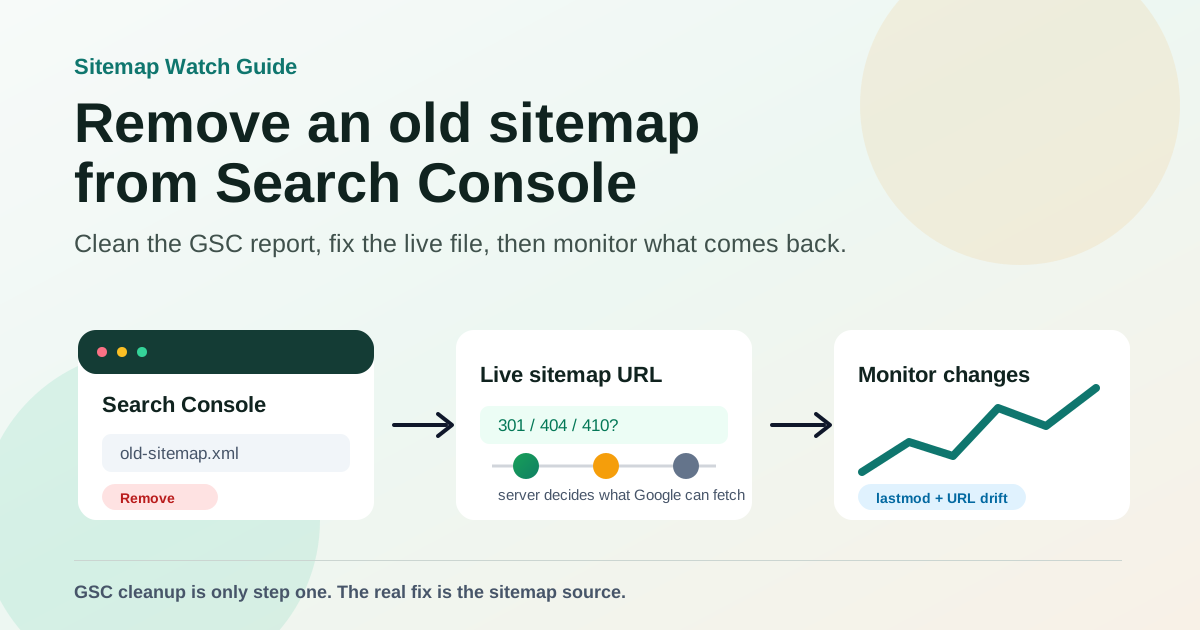
For most sites, the right fix has three parts:
- Remove the old sitemap submission from Google Search Console.
- Decide what should happen at the old sitemap URL on your server.
- Watch the new sitemap so the old URL does not quietly return.
Google's own Sitemaps report documentation is clear about the boundary: deleting a sitemap removes it from the report, but Google may still know about the sitemap and the URLs it contained. If you want Google to stop visiting a sitemap or the URLs inside it, you need to handle the live URLs too.
Quick answer: remove the sitemap from the report
Use this when the sitemap was submitted manually in Search Console and you no longer want it listed there.
- Open Google Search Console.
- Choose the correct property. Check
httpsvshttp, andwwwvs non-www. - Go to Indexing > Sitemaps.
- Click the sitemap you want to remove.
- Open the three-dot menu in the top-right corner.
- Click Remove sitemap.
After that, the submitted sitemap should disappear from the Sitemaps report for that property.
That is the UI cleanup. The SEO cleanup depends on why the sitemap is old.
What Remove sitemap actually changes
Search Console is a reporting and submission interface. When you submit a sitemap there, you are telling Google where the sitemap file lives on your site. You are not uploading a permanent file into Google.
So the Remove sitemap button changes the submitted sitemap list in Search Console. It does not necessarily change crawling behavior outside that report.
Here is the practical difference:
| Action | What it affects | What it does not fix |
|---|---|---|
| Remove sitemap in Search Console | The submitted sitemap row in the Sitemaps report | The sitemap file on your server |
| Delete the sitemap file | Whether the old sitemap URL can be fetched | Old URLs Google has already discovered |
| Redirect the old sitemap | Where crawlers land when they request the old sitemap URL | Bad URLs if the new sitemap still contains them |
| Remove old URLs from the sitemap source | Future sitemap content | URLs already indexed from other sources |
Remove Sitemap: from robots.txt | One discovery path for crawlers | Sitemaps submitted directly in Search Console |
This is why a removed sitemap can feel like it came back. It may still be referenced in robots.txt, linked from a sitemap index, generated by a plugin, or submitted under another Search Console property.
Decide what should happen to the old sitemap URL
Before changing server behavior, identify which case you are dealing with.
Case 1: The sitemap was submitted by mistake
Maybe someone submitted:
https://example.com/sitemap-old.xml
when the real sitemap is:
https://example.com/sitemap.xml
In this case, remove the wrong submission from Search Console and submit the correct one. Then open both URLs in a browser or run them through a validator.
If the old sitemap URL should not exist, return 404 or 410. If it is an old public URL that many tools still request, a permanent redirect to the current sitemap is reasonable.
Case 2: Your CMS changed sitemap locations
This is common after changing SEO plugins, migrating platforms, or moving from a custom sitemap generator to a framework-generated sitemap.
For example:
Old: https://example.com/sitemap_index.xml
New: https://example.com/sitemap.xml
If the old sitemap still returns a valid file, Google and other crawlers can keep reading it. Remove the old Search Console submission, but also decide whether the old URL should redirect to the new sitemap or return a clear gone/not found response.
For a normal migration, I prefer a 301 redirect from the old sitemap to the new sitemap for a while, especially if the old sitemap URL has been public for years. It keeps crawlers, SEO tools, and stale documentation pointed at a useful file.
Case 3: The old sitemap lists URLs that should disappear
This is the case that needs the most care.
If the old sitemap contains deleted product pages, staging URLs, parameter URLs, or old blog paths, removing the sitemap from Search Console is not enough. Google may already know those URLs. The sitemap was only one discovery source.
Check the old URLs directly:
| Old URL state | Recommended response |
|---|---|
| Page moved to a replacement | 301 to the best matching new URL |
| Page permanently removed with no replacement | 410 or 404 |
| Page should exist but not be indexed | Allow crawl, then use noindex |
| Page is private | Require authentication or block access at the server |
| URL is a duplicate | Canonicalize and keep only the canonical URL in the sitemap |
Do not rely on robots.txt to remove HTML pages from search results. Google's robots.txt documentation explains that robots.txt is mainly for crawl access, not for hiding pages from Google. If a page is already known and linked elsewhere, a robots block can prevent Google from seeing the noindex tag you added.
Case 4: A sitemap index still points to the old child sitemap
Many sites submit one sitemap index:
https://example.com/sitemap_index.xml
That index may contain child sitemaps:
<sitemap>
  <loc>https://example.com/post-sitemap.xml</loc>
  <lastmod>2026-05-12</lastmod>
</sitemap>
<sitemap>
  <loc>https://example.com/old-product-sitemap.xml</loc>
  <lastmod>2025-11-18</lastmod>
</sitemap>
If you remove old-product-sitemap.xml from Search Console but keep it inside the sitemap index, Google can still discover it through the index. Fix the sitemap index source, regenerate the sitemap, and then validate the index again.
Google's sitemap guidelines also matter here: sitemap URLs should be absolute, files have size and URL-count limits, and <lastmod> should reflect meaningful page changes when you include it.
A clean removal workflow
Use this sequence when you want to remove an old sitemap without creating crawl noise.
1. Export or save the old sitemap URL
Before removing anything, copy the exact sitemap URL from Search Console.
Also save:
- The property where it appears.
- Its current status: Success, Couldn't fetch, or Has errors.
- Last read date.
- Discovered pages count.
- Whether it is a sitemap index or a normal URL set.
That gives you a before/after reference. It also helps if someone asks why a sitemap disappeared from Search Console later.
2. Check how the old sitemap is being discovered
Open these places:
https://example.com/robots.txt
https://example.com/sitemap.xml
https://example.com/sitemap_index.xml
https://example.com/wp-sitemap.xml
Look for the old sitemap URL in:
robots.txtSitemap:lines.- Sitemap index files.
- CMS sitemap settings.
- SEO plugin settings.
- Hardcoded routes in your app.
- CDN or edge redirects.
You can use Find Sitemap to check common locations, then run the result through Sitemap Validator to confirm whether it is still fetchable.
3. Fix the source that generates the old sitemap
This is the step people skip.
If WordPress, Shopify, a static site generator, or your framework keeps generating the old sitemap, Search Console cleanup will not hold. The old URL may reappear in robots.txt, a sitemap index, or an automated submission.
Common fixes:
- Disable the old SEO plugin sitemap after enabling the new one.
- Remove stale sitemap routes from the app.
- Update
robots.txtto reference only the current sitemap. - Remove old child sitemap entries from the sitemap index.
- Clear the CDN cache after changing sitemap files.
- Check environment-specific sitemap URLs after a domain migration.
4. Choose redirect, 404, or 410 for the old sitemap URL
There is no single correct response for every old sitemap.
Use a 301 redirect when the old sitemap has a clear replacement and you want crawlers to land on the new file:
/sitemap-old.xml -> 301 -> /sitemap.xml
Use 404 or 410 when the old sitemap should no longer exist and there is no useful replacement:
/staging-sitemap.xml -> 410 Gone
Keep returning 200 only if the file is still accurate and intentionally public. If it is accurate, it may not be old in the operational sense, even if you no longer want it submitted in Search Console.
5. Remove the submitted sitemap in Search Console
After the live source is fixed, remove the old sitemap from Search Console:
Search Console > Indexing > Sitemaps > old sitemap > More options > Remove sitemap
Then submit the current sitemap if it is not already submitted.
6. Validate the new sitemap
Check that the new sitemap:
- Returns HTTP
200. - Uses XML or another supported sitemap format.
- Contains absolute canonical URLs.
- Does not contain staging, redirected, noindex, or blocked URLs.
- Does not include duplicate
httpandhttpsversions. - Has accurate
<lastmod>values if the tag is present. - Stays under sitemap size limits.
For a quick check, paste the sitemap into Sitemap Validator. If you do not know the sitemap URL anymore, start with Find Sitemap.
The common mistakes that make old sitemaps come back
Old sitemaps usually return because there are two sources of truth.
Leaving the old Sitemap: line in robots.txt
If robots.txt still says this:
Sitemap: https://example.com/old-sitemap.xml
Sitemap: https://example.com/sitemap.xml
you have not finished the cleanup. Remove the old line unless you intentionally want crawlers to keep finding that file.
Blocking the sitemap with robots.txt
Blocking a sitemap can create confusing signals. Search Console may show Couldn't fetch, and you still have not fixed the sitemap source.
If the sitemap should be gone, delete it, return 410, or redirect it. If the sitemap should be used, let crawlers fetch it.
Removing the sitemap before checking its URLs
If the old sitemap contains URLs you care about, inspect them first. A stale sitemap can reveal a larger issue: wrong canonical URLs, deleted content still linked internally, or a CMS exporting pages that should never have been public.
Assuming <changefreq> and <priority> will fix crawl behavior
Google says it ignores <priority> and <changefreq> values. Do not spend cleanup time tuning those fields. Focus on accurate URLs, valid XML, useful redirects, and meaningful <lastmod> values.
Submitting the sitemap under the wrong property
Search Console properties are exact enough to cause confusion. A sitemap submitted under https://www.example.com/ may not appear where you expect if you are looking at https://example.com/.
Before removing a sitemap, make sure you are in the property that actually owns the submitted URL.
How long does removal take?
The Search Console row usually disappears quickly after you remove it. Crawling and indexing changes take longer.
If you redirected the old sitemap, Google needs to recrawl it and process the destination. If you removed the sitemap file, Google may retry failed fetches for a period. If the old sitemap listed pages that are now gone, each page has its own crawl and indexing timeline.
Track the live signals instead of staring at the removed row:
- Does the old sitemap URL return the response you intended?
- Is the old sitemap still listed in
robots.txt? - Does the sitemap index still reference old child sitemaps?
- Are removed URLs still internally linked?
- Does the Page indexing report show fewer URLs associated with the old sitemap over time?
Monitor the sitemap after cleanup
The most useful monitoring starts after the removal.
Watch for:
- The old sitemap URL returning
200again. - A CMS plugin regenerating the old sitemap.
robots.txtadding the oldSitemap:line back.- A sitemap index reintroducing old child sitemaps.
- Sudden URL count changes.
- Stale
<lastmod>spikes after a deploy. - Redirected or noindex URLs appearing in the current sitemap.
This is where a sitemap monitor earns its keep. A sitemap problem is often quiet: the page still loads, the build still passes, and Search Console may not show the issue until later. If the sitemap changes unexpectedly, you want to know before that stale URL set becomes the crawler's freshest map of your site.
Final checklist
Before you call the cleanup done, confirm each item:
- The old sitemap submission is removed from Search Console.
- The current sitemap is submitted or discoverable.
robots.txtreferences only the sitemap URLs you want crawlers to use.- Old child sitemaps are removed from sitemap indexes.
- The old sitemap URL returns
301,404,410, or a valid200intentionally. - The new sitemap contains canonical, indexable, absolute URLs.
- Deleted pages return the right status or redirect to the right replacement.
- Sitemap changes are being monitored after the cleanup.
The Search Console button is the easy part. The real work is making sure your server, CMS, sitemap index, and monitoring all agree on the same current sitemap.